Hi all 👋,
We’re back with another round of updates, and as always, we’re excited to share what the team has been working on to keep improving the PitchPrint experience for you and your customers.
What's new🚀,
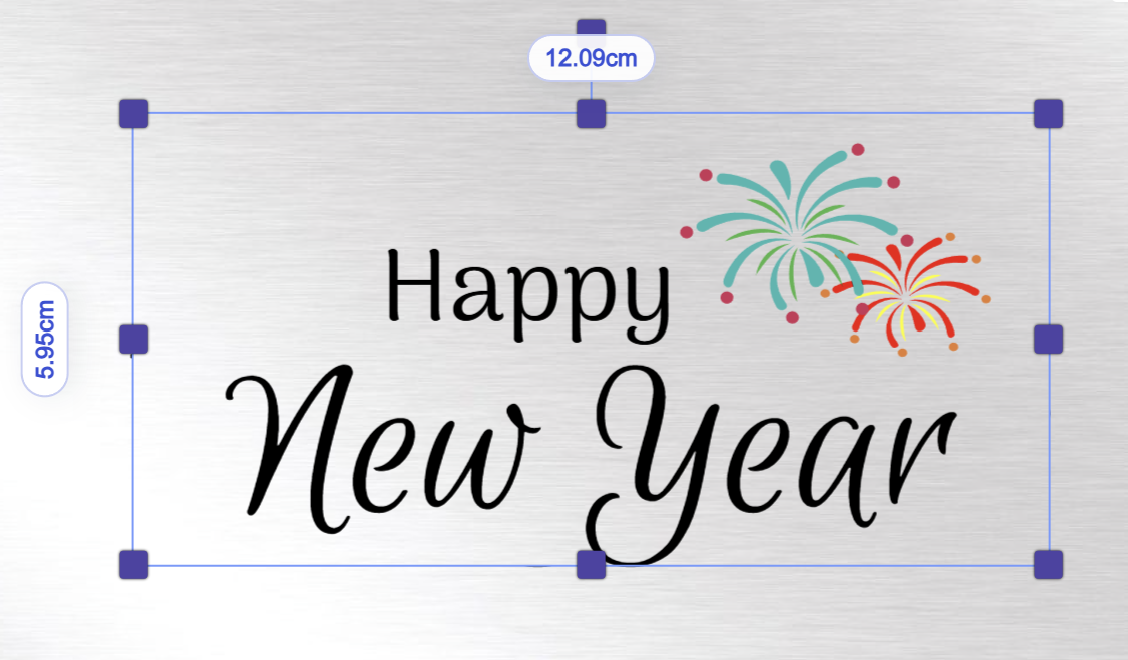
Show item dimensions - One of the most requested canvas improvements is finally here. You can now view an item’s dimensions directly on the canvas while resizing, making it much easier to size and position elements with precision.
When an item is selected or active on the canvas, its dimensions will now be displayed automatically.
How to enable this feature
- Go to
https://admin.pitchprint.com/settings - Enable the option shown in the screenshot below:
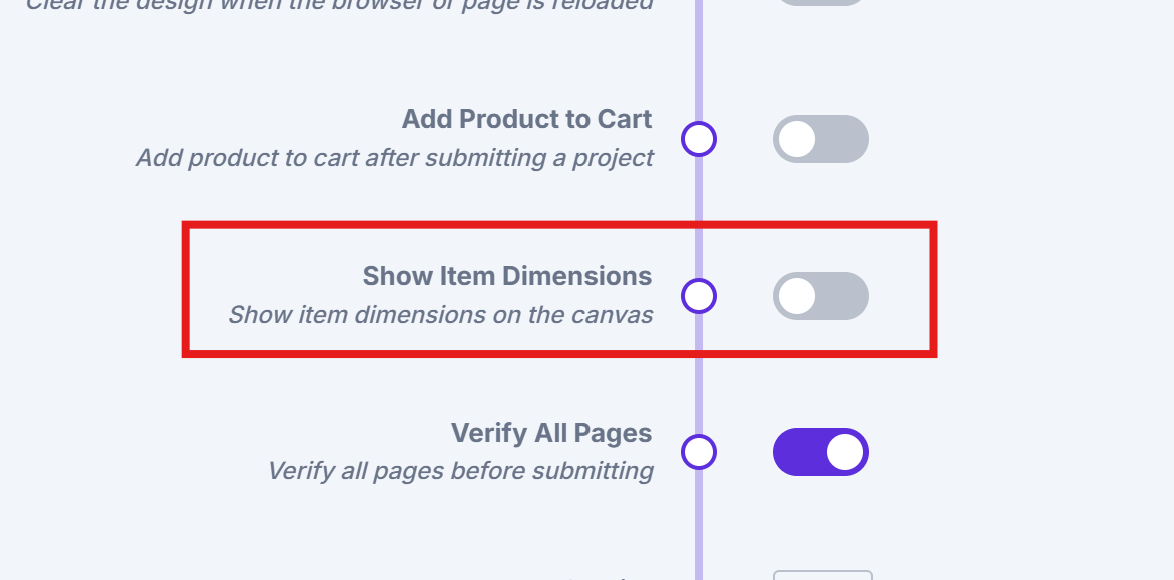
Once enabled, item dimensions will be displayed on each active item directly on the canvas, as shown below.
Canvas Adjuster predefined and custom values - We’ve improved the Canvas Adjuster Module to make sizing workflows more flexible. Previously, the module could only work with predefined values or custom values—not both at the same time.
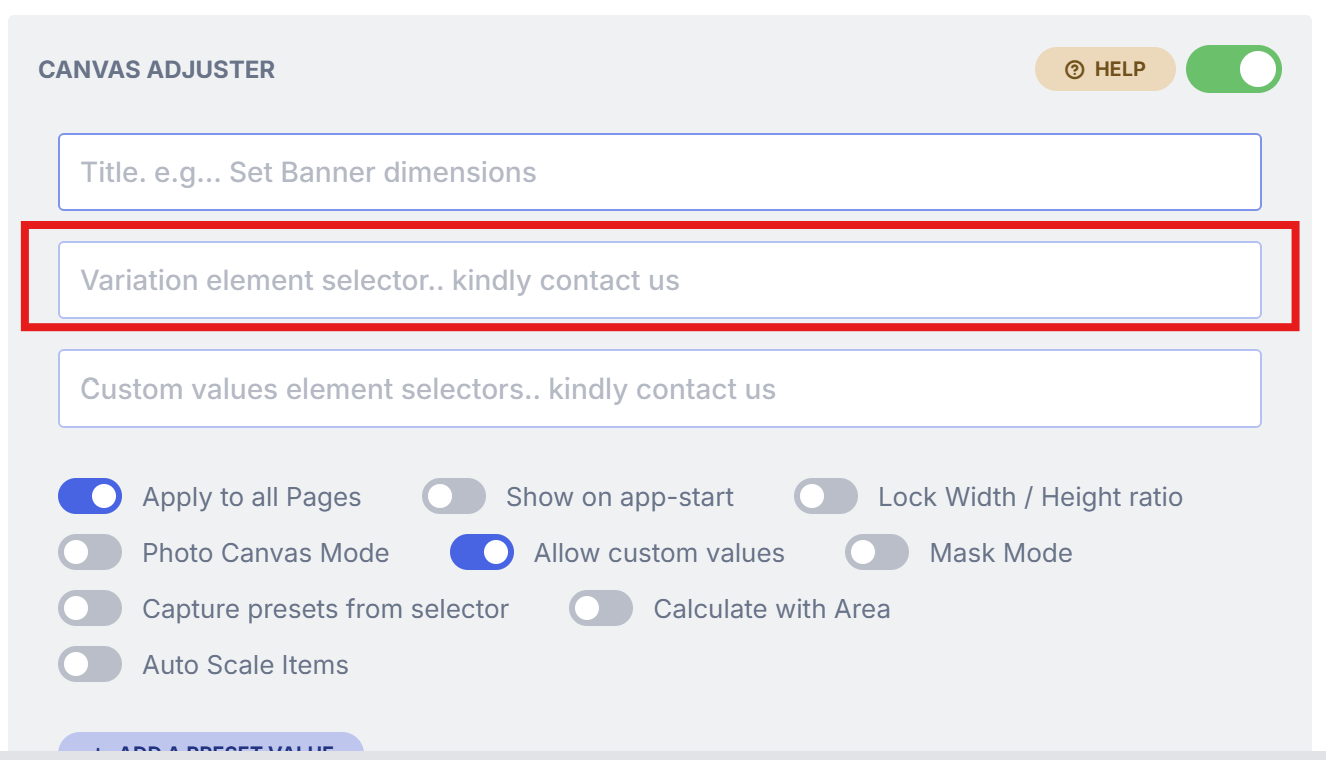
The variation element selector field also only supported one setup at a time: either a unique selector for predefined sizing options, or separate width and height selectors for custom sizing.
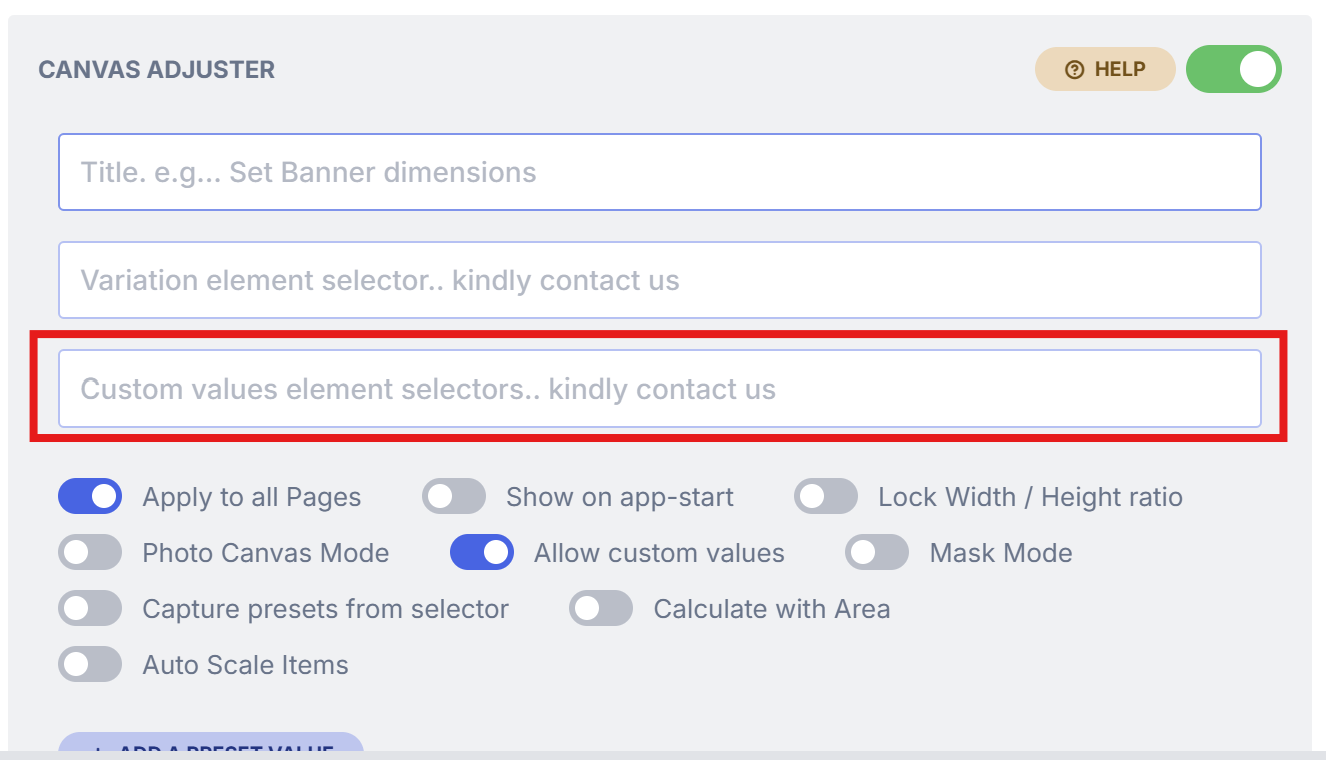
With this update, you can now use both predefined and custom values together. When Custom Values is enabled, an additional field will appear, allowing you to add the unique selector needed for your predefined values.
How it works
Field 1 (marked in red below) should contain the selector for your predefined values field from your site. Example: #size
Field 2 (marked in red below) should contain the selectors for your custom width and height fields from your site.
Example: #selectorWidth, #selectorHeight
We also fixed the following bugs:
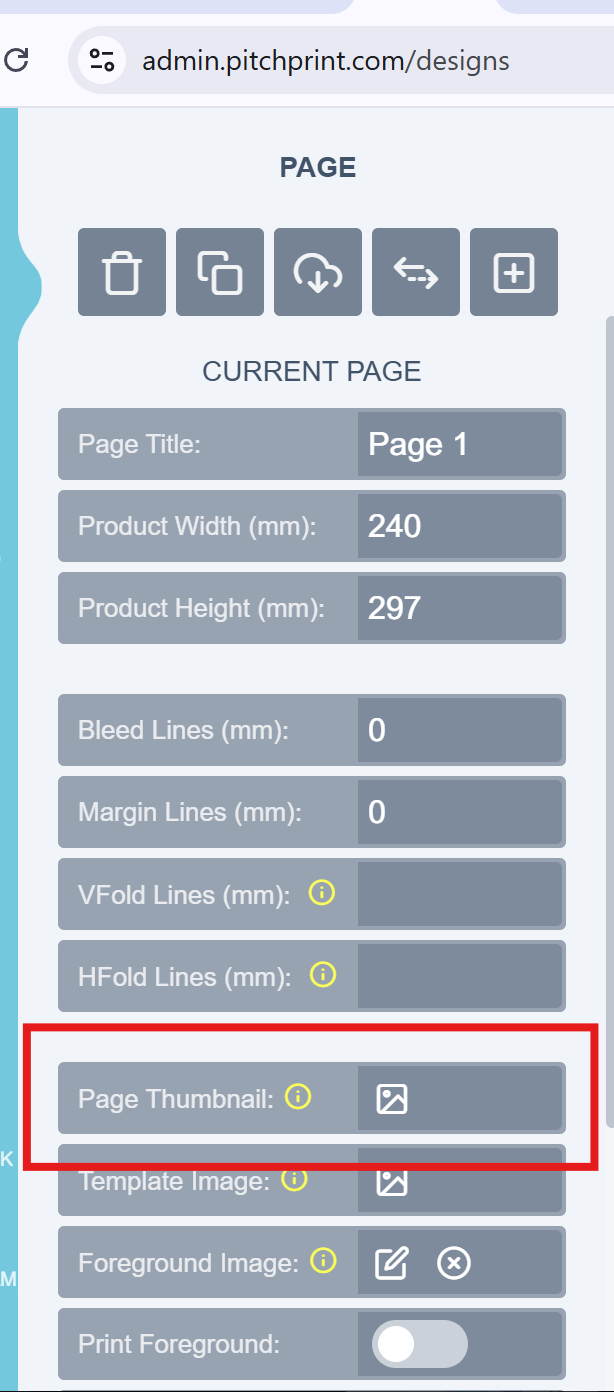
Page Loader and Thumbnails - We’ve fixed an issue in the Page Loader Module that affected custom thumbnails on the front end.
The module allows admins to either assign a custom thumbnail or use the design preview as the thumbnail shown to customers. An issue was preventing custom thumbnails from pulling through correctly to the front end of the design setup.
With this fix, both custom thumbnails and default design thumbnails should now display as expected in the front end.
Please refer to the image below for reference:
Background Tab and Remix Module issue - We’ve fixed an issue where images in the Background tab would not display whenever the Remix Module was enabled on a design.
With this update, all background resources should now display correctly, even when the Remix Module or other supported modules are active.
Product page uploader - We’ve fixed an issue in the Product Page Uploader where uploaded file previews could appear cut off after upload.
With this update, file previews should now display correctly and in full once an upload is completed.
That’s it for this week’s updates — thanks for following along, and we look forward to sharing more with you soon.
From all of us at the PitchPrint team🤗
