Hi all 👋,
It's been a little while since our last release note, but we haven't been sitting still! We're excited to share the latest improvements we've been working on, all with one goal in mind making PitchPrint easier and more enjoyable to use, for you and for your customers.
What's new 🚀,
Prefill user data - Picture a returning customer opening a design and having to type in their name, email, phone number, company and address all over again. It gets old fast. Now, when a logged-in customer starts a new design, PitchPrint fills in those details for them.
We pull the details from the customer's store account first (billing, shipping and profile), and for anything still empty we look at their most recent saved PitchPrint projects. We also match your design's labels to the customer's details, even when the label isn't named exactly. "Postcode / ZIP", "Surname", "Tel." and even a typo like "Emial" will still find the right field. And if we're not sure what a label means, we leave it empty rather than guess.
Prefill works with WooCommerce and PrestaShop store accounts. Other platforms use plugin data and saved projects. One thing to note if you're using the Remove un-edited items option on a Data Form, please switch it off on designs that use prefill for now, as untouched prefilled fields can be dropped when the design is saved.
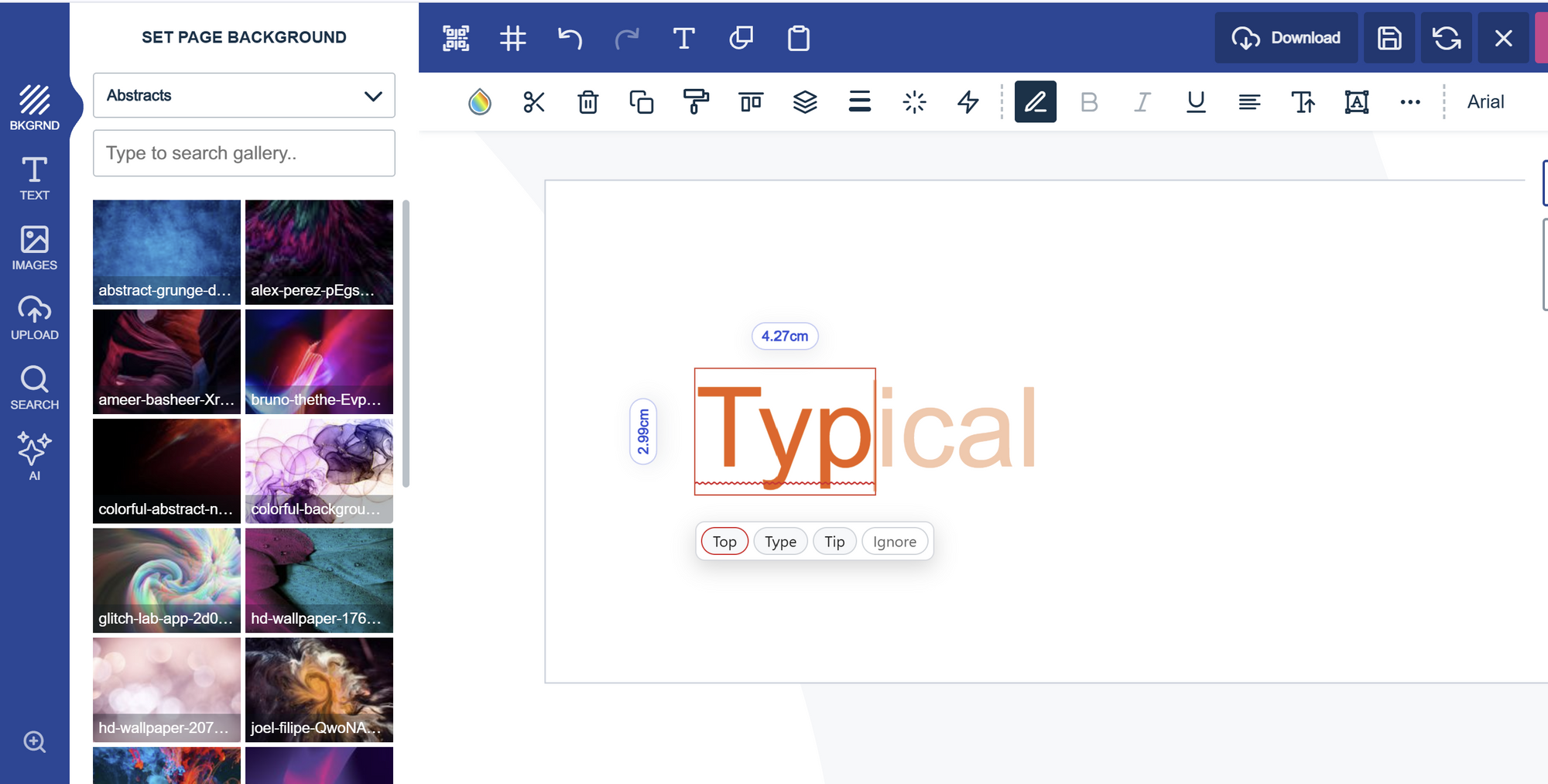
Spell checker in the editor - Text in the editor is typed straight onto the canvas, which means the browser's own spell check can't help there. So we gave the editor its own.
Misspelled words get a red wavy underline on the canvas (it's for the screen only and never shows up in the PDF), and a little bubble pops up with suggestions while your customer is still typing. They can click a suggestion or press Tab to take the first one. Right-clicking a marked word shows suggestions too. We've also added word completion the rest of a likely word appears in faint text, and Tab, the right arrow or a click or tap accepts it. On phones and tablets, form fields show a tappable chip with the whole word. Before saving, any words still misspelled are listed so your customer can fix them, or save anyway.
Words are checked using LanguageTool's online service, so your customer's text is sent to LanguageTool (hosted in Germany) for checking.
Clone and delete a page in the editor - Until now, if a customer wanted a second version of a page, they had to rebuild it from scratch. With the new Clone Page option, they can duplicate the page they're working on right from the editor and tweak the copy without touching the original. It's handy for trying out variations of a layout, or for multi-page designs where pages share the same style.
Changed their mind about a page? There's a Delete Page option too. It asks the customer to confirm first, so a page can't disappear by accident.
Together, they make it much easier to shape a design right in the editor.
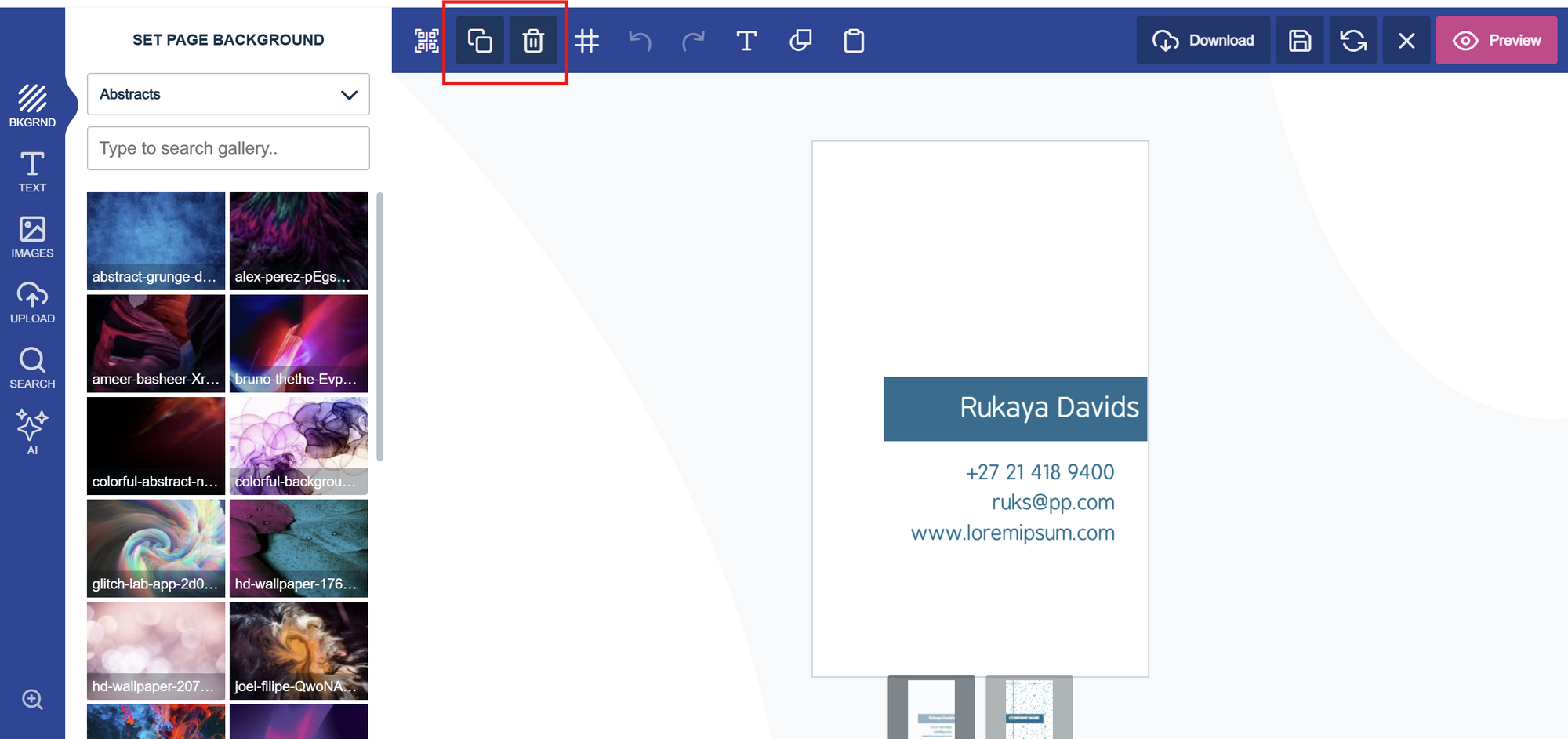
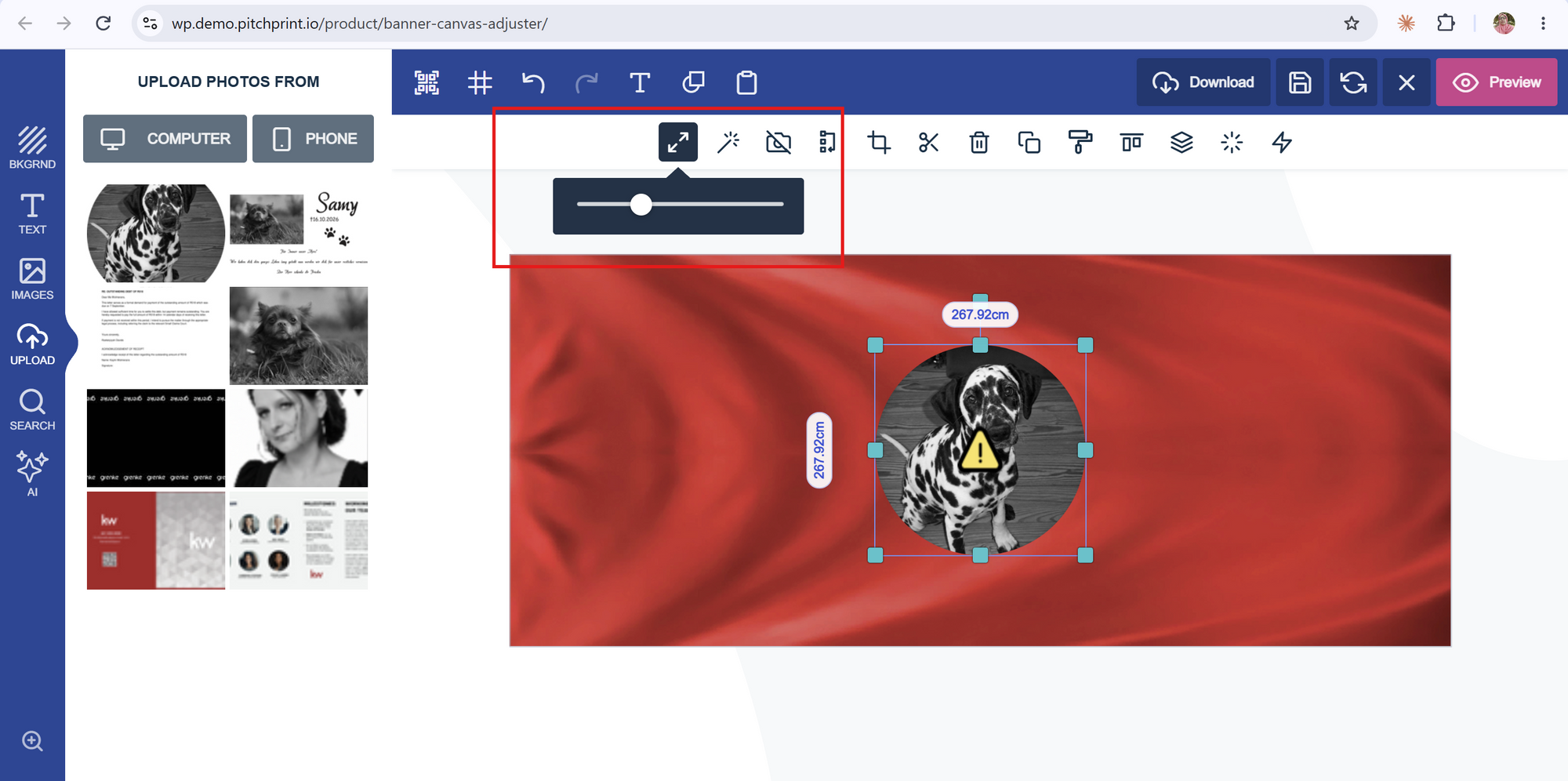
Image and shape scale slider - Resizing a photo used to mean clicking the Shrink and Expand buttons, which only moved the item in fixed steps and only showed up for photos. There was no way to resize a shape from the menu, and text already had a smooth slider, so it felt a bit inconsistent.
Photos and shapes now get a scale slider in the context menu, replacing the old buttons and working just like the Text Size slider. Drag it to resize smoothly and precisely, from 20% to 300% of the size the item had when it was selected. The item grows and shrinks from its centre, and one drag counts as a single undo step.
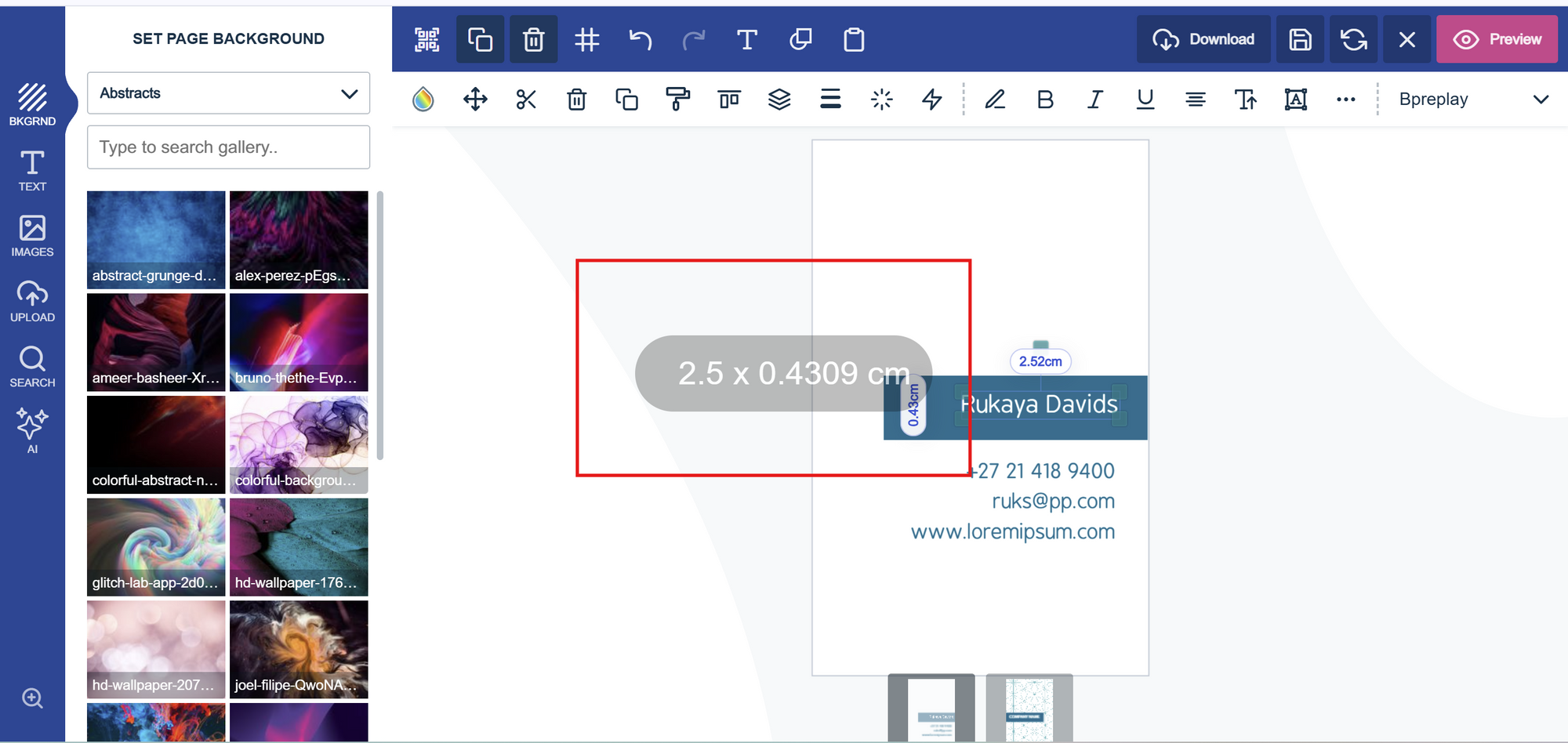
Resizable Item Dimensions pop-up - A while back we introduced Show item dimensions. Some of you told us the pop-up was a bit too big for your store, and we listened. You can now set the height and font size of the pop-up to suit your store and designs, and the width adjusts automatically to fit the text.
We also fixed the following bug:
Copy Styles and text spacing - We've fixed an issue with the Copy Styles tool (the paint-roller icon in the item toolbar). It copied the colour, font and size of a text item, but not its spacing. Line spacing never carried over, letter spacing carried over but the text box wasn't updated until you edited the text, and the radius and spacing of curved text weren't copied at all.
With this fix, Copy Styles also copies line spacing, letter spacing and curved text spacing, and the text box updates straight away, so pasted styles now match what you copied.
If you'd like to take advantage of any of these new features, simply reach out to us at support@pitchprint.com, tell us which ones you'd like, and we'll enable them on your domain.
That's a wrap for this release, folks! Thanks for following along, and we look forward to sharing more with you soon. Have a wonderful weekend!
From all of us at the PitchPrint team🤗
